
Research Tools
Every Tool. Any Platform. One Ecosystem.
Mercury's suite of proprietary research tools covers every advanced methodology — within surveys we program and host for you or embedded within surveys hosted on any other survey platform. All AI-enhanced. All feeding into the Analytics Workbench.
AI-Enhanced Qual
MercuryIQ
Adaptive IDI-level probing inside any survey.
Video Media & Message
M2M Dial Testing
Real-time moment-to-moment response capture.
Media & Message
Text Highlighting
Word-level resonance heatmaps on any text or copy.
Image & Creative
Spotlight Image Testing
Click and touch data translates to heatmaps for any visual.
Qualitative
Media Blogs
Selfie-video qual for quant surveys.
Visual & Print Testing
Flipbooks
Natural presentation of multipage print media in an online survey.
MercuryIQ
MercuryIQ embeds adaptive, IDI-level probing directly inside large-scale quantitative surveys — guided by survey author-defined frameworks that ensure every interaction targets the precise insights that matter most — producing statistically significant qualitative and quantitative insight simultaneously, in a single study. It is the most significant methodological breakthrough in survey research in decades.
Key Capabilities
- Adaptive, Respondent-Specific Probing
- Qual + Quant in a Single Study
- 200–400% Richer Open-End Responses
- Built-In Data Integrity Safeguards
- Survey-Speed Execution at IDI Depth
- Seamless Integration with the Analytics Workbench
- Works Within Any Survey
Moment-to-Moment Dial Testing
Mercury's M2M dial testing leapfrogs traditional dial methodology with fully mobile-friendly, real-time moment-to-moment response capture for video, audio, and long-form content. Viewers respond as content plays — generating frame-accurate sentiment curves for any audience segment.
Viewable interactively for any audience segments in the Analytics Workbench or downloadable for client presentations. Deployable via API inside any survey environment.
Key Capabilities
-
Real-time continuous response on any device
-
Frame-accurate sentiment visualization
-
Instant segment cuts — any audience, any moment
-
Video, audio, and long-form content support
-
Interactive Workbench viewer + downloadable exports
-
API-embeddable in Qualtrics, Dynata, Decipher + others
| Color | Audience Name | Show Line All|None |
Base Size | Overall Avg | Current Rating | Standard Deviation | Final Rating | Avg to Moment | Avg From Moment | MOE 95% | MOE 90% | Histogram |
|---|---|---|---|---|---|---|---|---|---|---|---|---|
| ALL | 299 | 73.6 | 73.9 | 4.5 | 80.8 | 66.4 | 77.1 | 5% | 6% | |||
| Baby Boomers | 79 | 70.1 | 68.8 | 4.6 | 76.2 | 63.6 | 73.3 | 9% | 11% | |||
| Gen X | 55 | 76.8 | 77.2 | 4.3 | 85.0 | 68.5 | 80.9 | 11% | 13% | |||
| Millennials | 107 | 75.3 | 77.1 | 4.4 | 82.3 | 68.1 | 78.8 | 8% | 9% | |||
| Gen Z | 46 | 74.3 | 75.2 | 4.3 | 81.1 | 66.9 | 77.9 | 12% | 14% |
Text Highlighting Message Testing
Mercury's text highlighting message testing shows precisely which words, phrases, and passages resonate — and which fall flat — across any audience segment. Respondents highlight text they find compelling or off-putting, generating heat maps of resonance in real time.
With MercuryIQ integration, the system automatically probes respondents who highlight key passages, surfacing the emotional and rational reasons behind every reaction.
Key Capabilities
- Word-level and phrase-level resonance heat maps
- Positive and negative highlighting in a single pass
- Real-time segment cuts across any audience variable
- MercuryIQ auto-probing on highlighted passages
- Supports ads, speeches, op-eds, policy language, and more
- Embeddable in any survey environment via API


Spotlight Image Testing
Show participants an image — a print ad, packaging design, product photo, or digital creative — and let them click or touch the areas they find most compelling or most off-putting. Real-time heatmaps update instantly for any audience segment.
Particularly powerful for advertising pre-testing, pack design validation, and political collateral evaluation. Works on any device, requires no special software.
Key Capabilities
- Click and touch heatmaps for any image
- Positive and negative sentiment zones
- Real-time segment filtering in the Workbench
- Works on desktop, tablet, and mobile
- Supports ads, packaging, design mockups, and more


Media Blogs
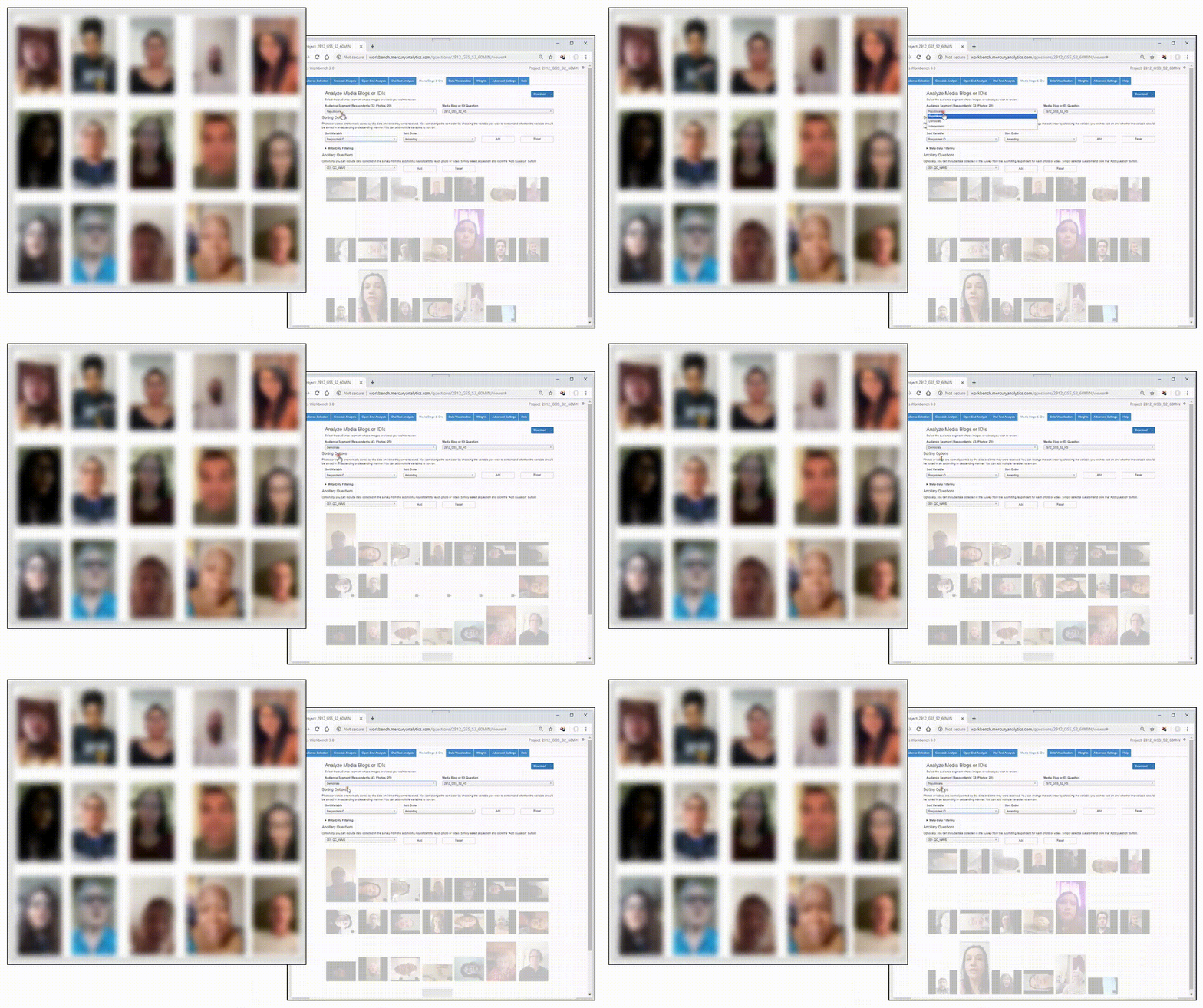
Media blogs allow each respondent to record a short selfie video answering a critical question like “If there was one thing the company should do, what would you recommend”. Each video is tied to the participant’s demographics permitting amazing levels of analysis, allowing client’s to hear directly from their most important audiences, in their own words.
Key Capabilities
- Selfie video capture inside any quantitative survey
- No separate app download required for participants
- Segment filtering across any audience variable
- Ideal for emotional resonance, brand perception, and UX testing
Flipbooks
Flipbooks present multipage print media — brochures, magazines, pamphlets, catalogs, direct mail pieces — in a natural, intuitive way that emulates the physical experience of turning pages. Respondents can flip forward and backward through the content, engage with and click defined regions on each page, recording sentiment reactions to the material in a natural way — giving you authentic, page-level insight into how audiences actually consume and react to each page.
Key Capabilities
- Realistic page-turn experience for brochures, magazines, catalogs, and direct mail
- Custom clickable regions — circular, rectangular, or complex shapes — on every page
- Real-time, page-level heatmaps for any audience segment
- Full mobile, tablet, and desktop compatibility
- Fully managed setup by Mercury, with results integrated into the Analytics Workbench
Every Tool. One Demo.
We walk through whichever tools are most relevant to your research needs — dial testing, message testing, MercuryIQ, Mediablogs, or all of the above.